

For the complete Netlify documentation index, see llms.txt. Markdown versions of any documentation page are available by appending .md to its URL. Manage domains for a site or app from the Netlify UI or the Netlify API.
Manage production domains from the Netlify UI
Section titled “Manage production domains from the Netlify UI”As a Developer, you can review domains for a team and add or change domains for a site.
As an Owner, you can transfer domains between teams you own, or delete DNS records.
Manage domains for a site
Section titled “Manage domains for a site”You can find the domains for your production site at Domain management Production domains. You have several options for managing multiple domains for your production site.
To manage domains for an individual site or app:
-
Go to your site or app dashboard.
-
Select Domain management from the left sidebar.
-
Select the domain you want to manage.
Review domains for a team
Section titled “Review domains for a team”To find a list of domains available to your team:
- Go to your Netlify Team dashboard.
- From your project dashboard, in the top left, choose Projects next to your project name.
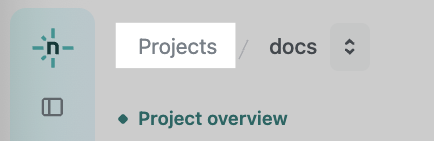
- From your project dashboard, in the top left, choose Projects next to your project name.
- Select DNS from the left sidebar.
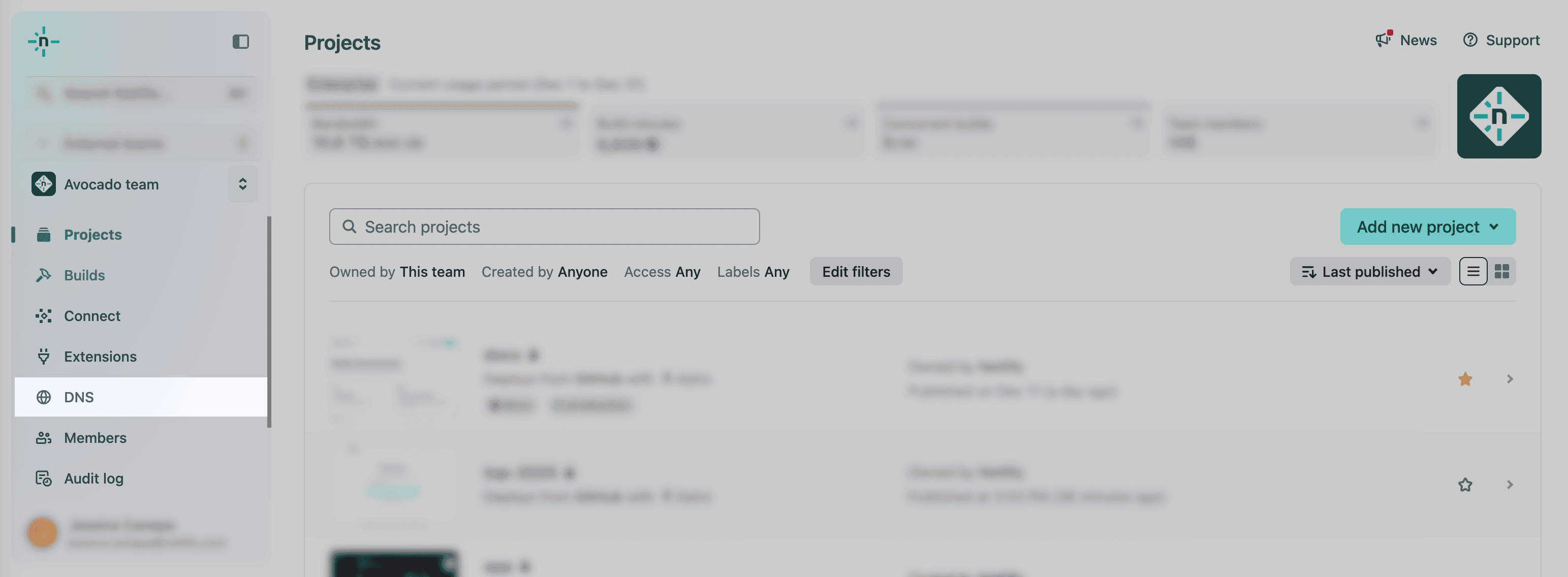
You’ll find a list of your domains available to your team’s sites. Note that some of these domains may not be assigned to a site yet.
For more help reviewing DNS records, check out our docs on Managing DNS records.
Review a domain’s DNS records
Section titled “Review a domain’s DNS records”If applicable, you can check out a domain’s DNS records from your domain dashboard.
- Go to your Netlify Team dashboard.
- From your project dashboard, in the top left, choose Projects next to your project name.
- From your project dashboard, in the top left, choose Projects next to your project name.
- Select DNS from the left sidebar.
- You'll find a list of all domains connected to your team account that are managed by Netlify DNS. To expand DNS records, select a domain from the list.
For more help reviewing DNS records, check out our docs on Managing DNS records.
Review a domain’s Netlify name servers
Section titled “Review a domain’s Netlify name servers”Check out our docs at Netlify name servers.
Manage domains from the API
Section titled “Manage domains from the API”Check out the Netlify API reference for DNS endpoints for more information on managing domains from the API.
You can find the domains associated with your site in the Domain management section of your site configuration.
Did you find this doc useful?
Your feedback helps us improve our docs.