

For the complete Netlify documentation index, see llms.txt. Markdown versions of any documentation page are available by appending .md to its URL. Find the best setup path and next steps based on your needs for a custom domaindomainThe web address people use to visit your site, such as yoursite.com..
Domains and DNS wizard
Section titled “Domains and DNS wizard”Answer a few questions to find your fastest path to domain setup.
Have you registered your domain?
Do you want to use Netlify DNS or a third-party external DNS provider?
This choice affects how you manage DNS records and configure your domain settings.
Choose how you want to register your domain.
Buy and register domain with a third-party registrar
Follow your domain registrar's documentation on how to buy and register a domain. Once you buy and register your domain, you can choose to manage your new domain with Netlify DNS or with an external third-party DNS provider.
Register a domain with Netlify
Purchase a domain directly through Netlify for seamless integration and automatic configuration.
Before setting up Netlify DNS, add your custom domain to your Netlify project.
Use the button below to open your project's domain settings, then add your custom domain to your project.
Domains dashboard ↗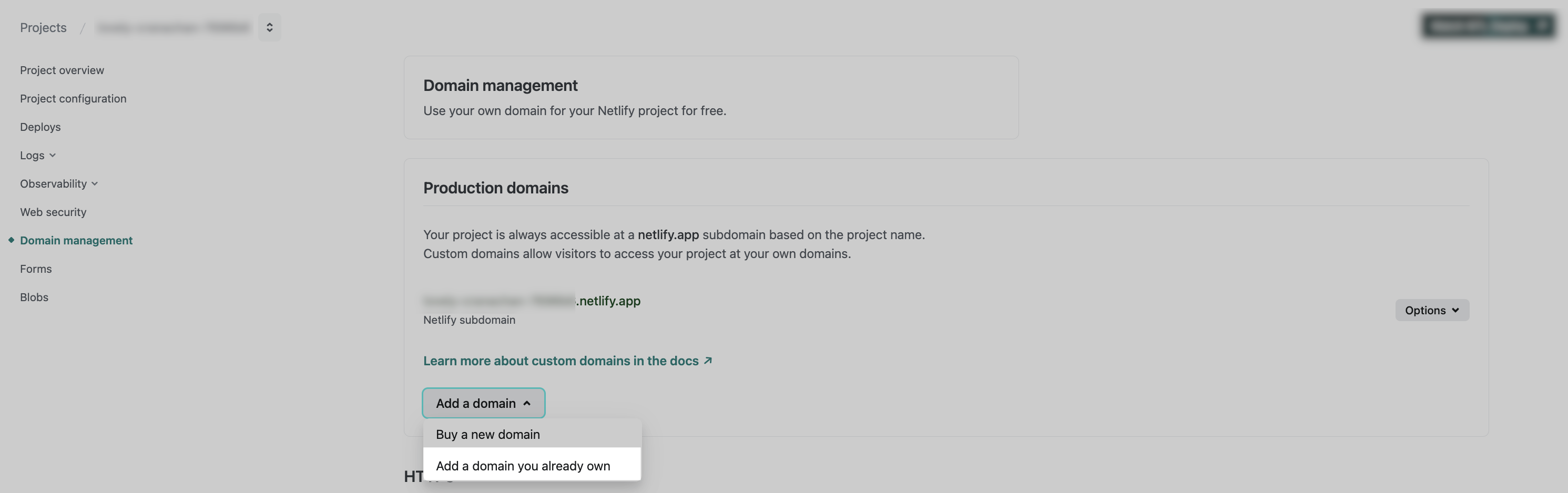
Before configuring your domain with an external DNS provider, add your custom domain to your Netlify project.
Use the button below to open your project’s domain settings, then add your custom domain to your project.
Domains dashboard ↗ Is the domain you added either an apex domain or a www subdomain?
Are you setting up a domain for an Enterprise account with the High-Performance Edge Network?
Check plan ↗Is this setup for an Enterprise account with the High-Performance Edge Network?
Does your DNS service support some form of CNAME records on the apex domain (this has many names like ALIAS records or "CNAME-flattening")?
This determines whether your DNS provider can handle CNAME-like records for your root domain.
Does your DNS provider support some form of CNAME records for the apex domain?
This can have many names, such as ALIAS records or "CNAME-flattening". We recommend checking your external DNS provider settings or docs to check.
Check my domain type
Enter your domain below to check whether it's an apex domain, www subdomain, or general subdomain.
Set up Netlify DNS for your domain
Configure your domain to use Netlify DNS for streamlined management and automatic SSL certificates.
Connect your external DNS to Netlify
Keep using your current DNS provider while pointing your domain to Netlify for hosting.
Check if your domain is assigned to your project
Let's help you verify whether your domain is already connected to your Netlify site and get you to the right next step.
Extra help
Configure external DNS for Netlify's High-Performance Edge Network.
For Enterprise accounts with the High-Performance Edge Network, please reach out to Netlify Support or your Enterprise Account Manager for specific DNS configuration instructions tailored to your setup.
Extra help
Configure external DNS with CNAME support for our standard network
Set up your external DNS provider using ALIAS or CNAME-flattening functionality for your apex domain.
1. Go to your DNS provider dashboard. In most cases, this will be your domain registrar's dashboard. If you need help figuring out which third-party DNS provider you're using, you can reach out to Netlify Support for help.
2. If your DNS provider supports ALIAS records, then for the apex domain, point the "alias" to apex-loadbalancer.netlify.com. If your DNS provider does **not** support ALIAS records, then for the apex domain, create an A record that points to 75.2.60.5.
3. For the www (or any other subdomain) make a CNAME record that points to site-name.netlify.app.
4. You may need to wait up to 48 hours for your DNS updates to propagate or take full effect. To check if DNS propagation is complete, you can use a DNS lookup tool, such as DNSChecker, Google Dig Lookup, or use the dig command in your terminal. For example, you can check your DNS propagation by running dig company.com and dig www.company.com in your terminal.
Extra help
Configure external DNS without CNAME support for our standard network
Set up your external DNS provider to point your apex domain and/or www subdomain without CNAME support for our standard network.
1. Go to your external DNS provider dashboard. Most often this will be your domain registrar's dashboard. If you need help figuring out which third-party DNS provider you're using, you can reach out to Netlify Support for help.
2. For your apex domain, create an A record that points to 75.2.60.5.
3. For your www subdomain, create a CNAME record that points to {site-name}.netlify.app, where site-name is your project name.
4. You may need to wait up to 48 hours for your DNS updates to propagate or take full effect. To check if DNS propagation is complete, you can use a DNS lookup tool, such as DNSChecker, Google Dig Lookup, or use the dig command in your terminal. For example, you can check your DNS propagation by running dig company.com and dig www.company.com in your terminal.
Extra help
Set up DNS record for your Enterprise High-Performance Edge Network
For Enterprise accounts with the High-Performance Edge Network, please reach out to Netlify Support or your Enterprise Account Manager for specific DNS configuration instructions tailored to your subdomain setup.
Common questions
Set up DNS records with CNAME support
Configure DNS records using your provider's CNAME-like functionality for the apex domain.
Common questions
Set up DNS records without CNAME support
Configure A and CNAME records at your DNS provider to point your domain to Netlify.
Extra help
Configure external DNS for your subdomain with our standard network
Set up a CNAME record to point your subdomain to Netlify.
1. Go to your External DNS provider dashboard. Most often this will be your domain registrar's dashboard. If you need help figuring out which third-party DNS provider you're using, you can reach out to Netlify Support for help.
2. Make a CNAME record that points to project-name.netlify.app, where project-name is your project name (for example, if your Netlify project URL is https://my-project.netlify.app, then your site name is my-project).
3. You may need to wait up to 48 hours for your DNS updates to propagate or take full effect. To check if DNS propagation is complete, you can use a DNS lookup tool, such as DNSChecker, Google Dig Lookup, or use the dig command in your terminal.
Extra help
Domain setup options
Section titled “Domain setup options”To review your domain options, check out our Understand domains or domains glossary docs.
| I want to set up . . . | Docs |
|---|---|
| a new custom domain | Register and buy a new custom domain with the option to manage it with Netlify DNSDNSThe system that translates a domain name like yoursite.com into the address computers use to find your site. Why Netlify DNS? |
a custom domain for my site/app that I already own, such as company.com or shop.company.com | Bring your own domain |
| Netlify DNS | Set up Netlifly DNS |
just a standalone subdomainsubdomainA prefix added to a domain name, such as blog in blog.yoursite.com., such as docs.company.com, where company.com is a domain managed or hosted outside of Netlify and where docs.company.com is managed by Netlify DNS for your production branch | Delegate a standalone subdomain |
just https for my domain or an SSLSSLThe technology that enables HTTPS by encrypting the connection to your site. certificate | HTTPS SSLHTTPSThe secure protocol, enabled by SSL, that encrypts data transferred between a browser and your site. |
| An alias domain or an additional custom domain since my site/app on Netlify already has a primary domain | Add an alias domain |
| A domain redirect | Add domain redirect |
| A domain transfer | Transfer a domain |
A shared custom subdomain for preview environments of my site/app, such as early-access.company.com instead of the default Netlify subdomain of mysitename.netlify.app so I can use tools requiring shared subdomains with the production URL | Configure an automatic subdomain for deploys |
Domain migration best practices
Section titled “Domain migration best practices”To keep your site/app running smoothly while you migrate your domain, check out this blog post on Migrating a domain to Netlify.
Custom help
Section titled “Custom help”You can also use Ask Netlify to ask specific questions about your domain setup needs.
Let us know in the docs feedback form comments below if you’d like to see a guide for your specific domain scenario.
Did you find this doc useful?
Your feedback helps us improve our docs.