

For the complete Netlify documentation index, see llms.txt. Markdown versions of any documentation page are available by appending .md to its URL. Give your Claude.ai agent the latest context for building and deploying to Netlify by connecting this agent to Netlify tools through the Netlify connector.
Before you begin
Section titled “Before you begin”- A Claude account.
- A Netlify personal account or team workspace.
Connect Netlify to Claude Web
Section titled “Connect Netlify to Claude Web”To connect to the Netlify Connector for Claude:
-
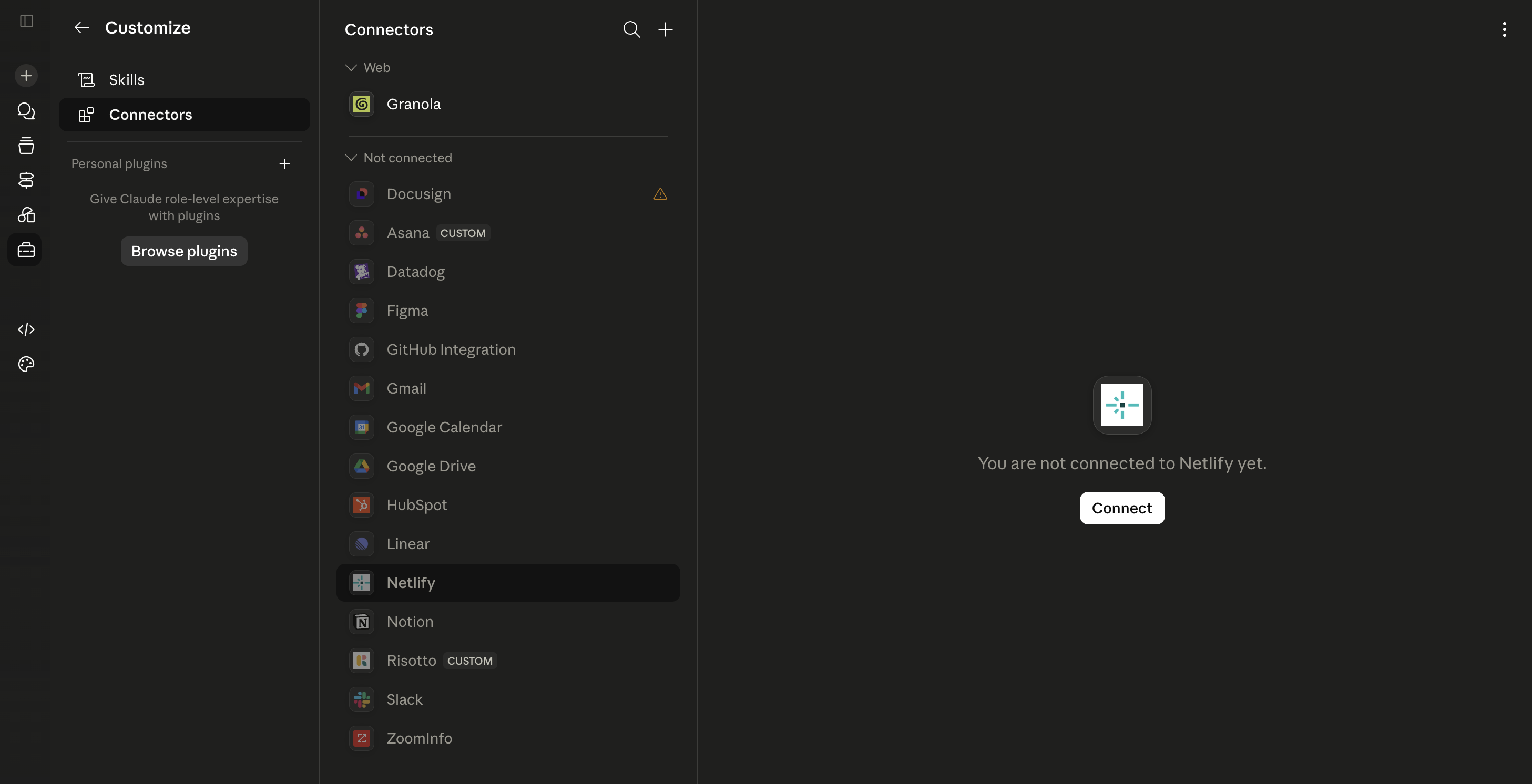
From an open Claude.ai chat in your browser, go to Customize, then select Connectors.
-
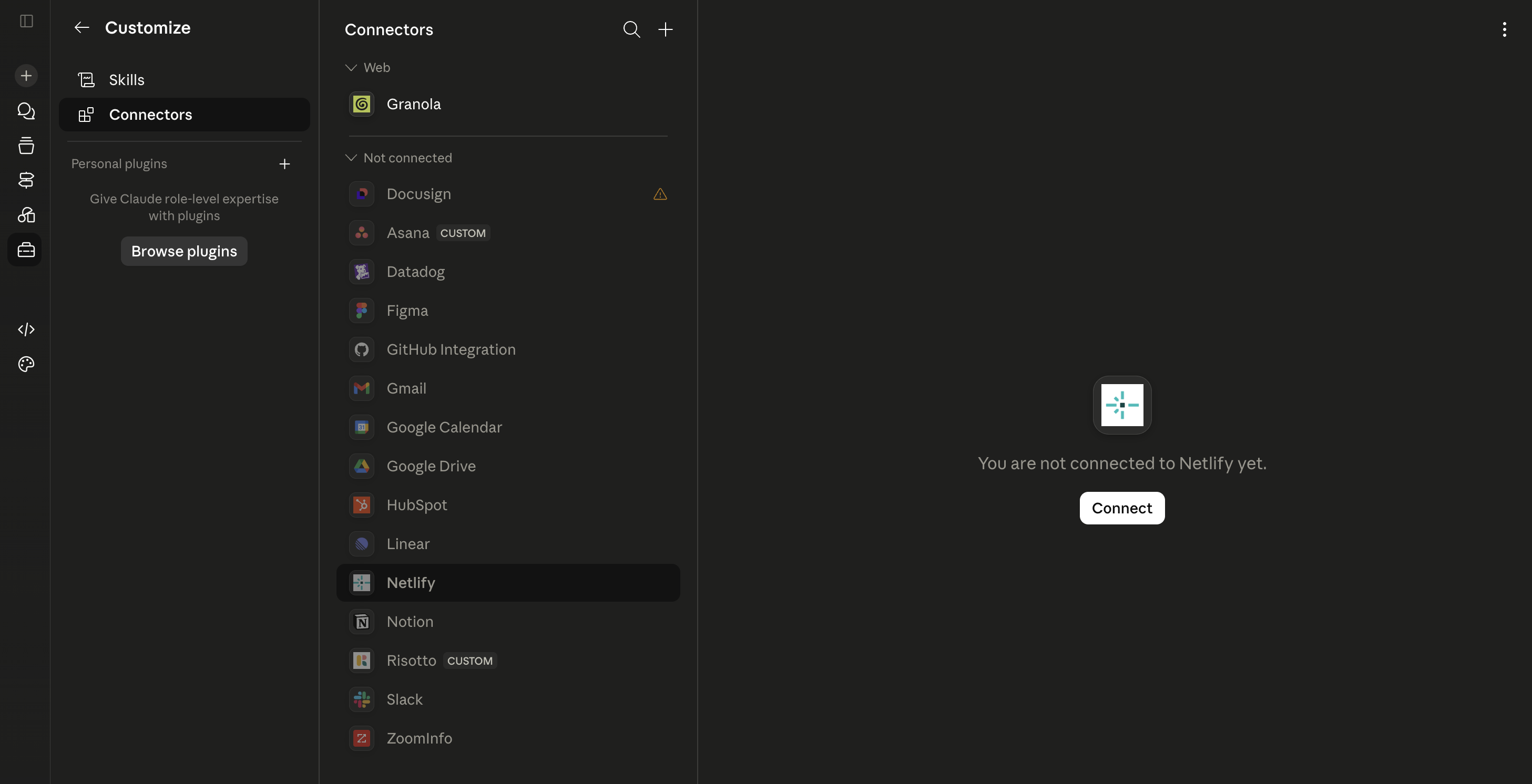
Search for Netlify, then select Connect.
-
Follow the authorization flow to connect your Netlify account.
Configure tool permissions
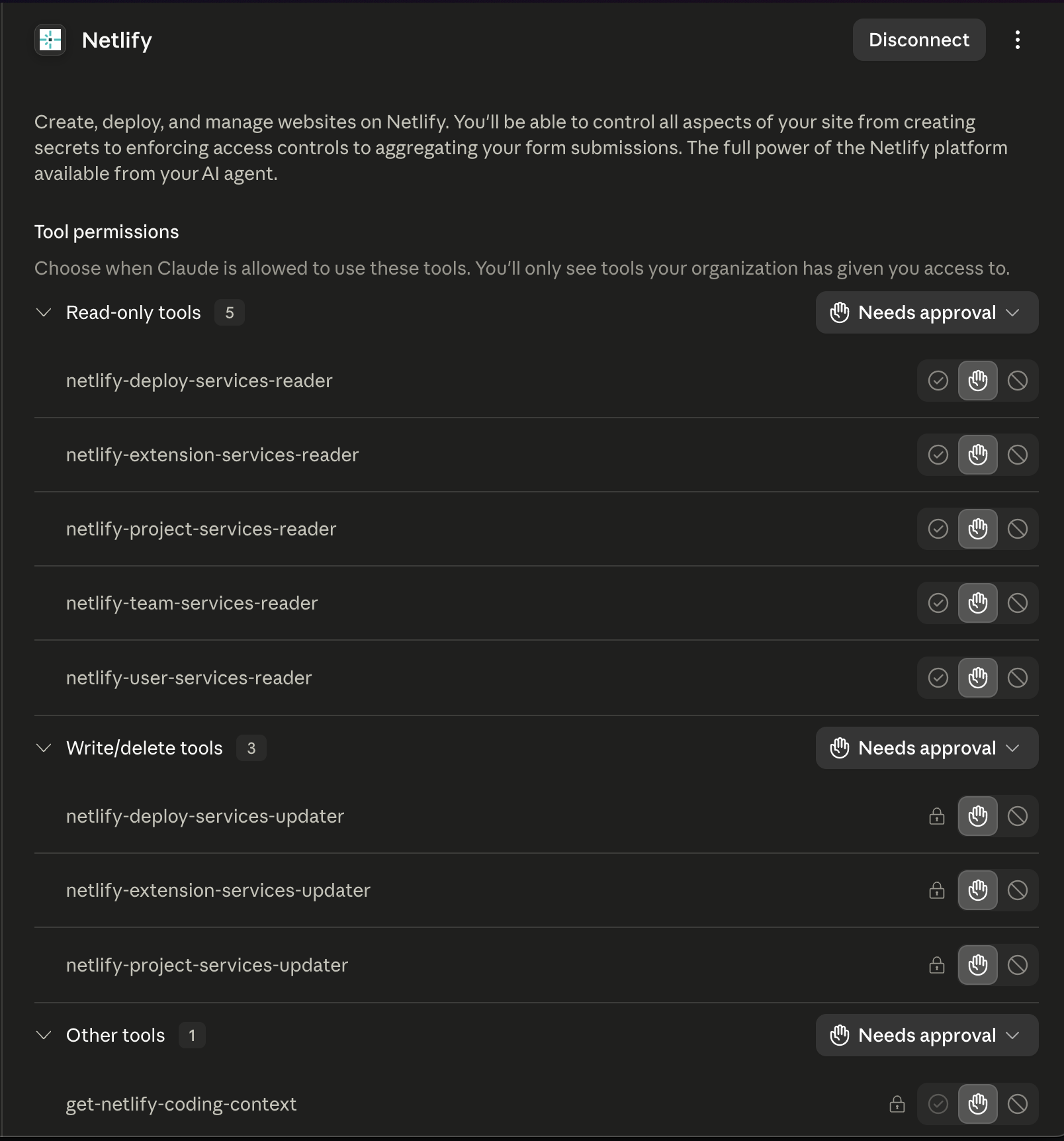
Section titled “Configure tool permissions”After you connect Netlify, configure tool permissions for the Netlify connector. For more context on connector permissions, check out Claude's docs on restricting actions within connected services.
We recommend the following settings so that Claude Web can always read Netlify context without extra approval, while requiring users to approve actions that can change Netlify resources. Note that your Claude Admin may also set some of these permissions for you, especially for custom tools like the Netlify Connector.
| Permission level | Recommended setting |
|---|---|
| Read-only tools | Always allow |
| Write/delete tools | Needs approval |
| Other tools | Always allow |
Use the Netlify connector in Claude Web
Section titled “Use the Netlify connector in Claude Web”The Netlify connector works as a deferred tool calling action. This means Claude Web does not load Netlify tools into the active chat by default and you do not need to call the connector by name.
Instead, describe the Netlify task you want Claude to complete. When the task needs Netlify access, Claude can load the relevant connector tools and use them for the request.
For example:
| Prompt | What Claude can do |
|---|---|
| "Deploy this project to Netlify." | Load Netlify deploy tools and start a deploy. |
| "What's the status of my latest deploy?" | Load Netlify read tools and fetch deploy status. |
| "Show me my Netlify projects." | Load Netlify project tools and list available projects. |
| "Check my team's Netlify settings." | Load Netlify team tools and fetch team information. |
Next steps
Section titled “Next steps”After Claude Web is connected to Netlify, ask Claude to help deploy your project or troubleshoot Netlify setup.
For more agent setup guidance, check out the agent setup overview.
Did you find this doc useful?
Your feedback helps us improve our docs.