

For the complete Netlify documentation index, see llms.txt. Markdown versions of any documentation page are available by appending .md to its URL. Block web requests from common AI crawlers, bots, search, and SEO engines to better control web request traffic and access to your site or app.
Overview
Section titled “Overview”The User Agent Blocker extension is built by Netlify and can block web requests from a preset list of common AI crawlers, SEO/Search crawlers that you choose from. This extension uses a Netlify Edge Function to block requests from these user agents.
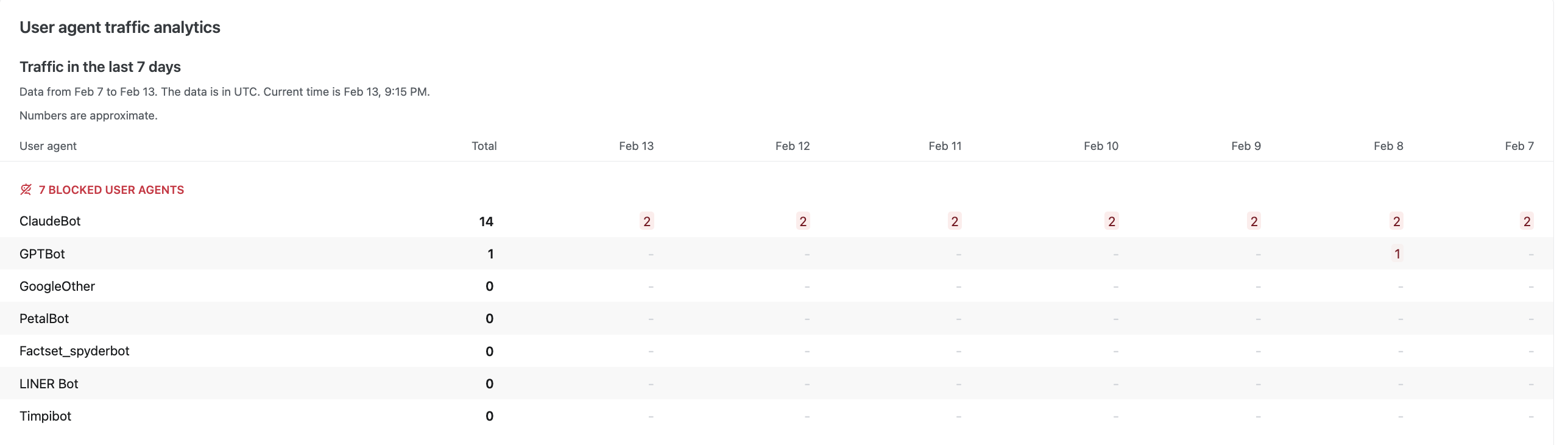
A user agent is a way of identifying where a web request to your web project is coming from. Requests to your app or site can come from browsers, search engines, AI crawlers, AI agents, humans, and more. To learn more about user agents, check out the official MDN docs on user agents.
Install User Agent Blocker extension
Section titled “Install User Agent Blocker extension”To install the User Agent Blocker extension:
- From your Netlify project dashboard, select Extensions in the left sidebar.
- Search for
User Agent Blockerand select the extension. - Select Install to make it available for all projects on your Netlify team.
- Go to the project where you want to activate the extension. You can only activate the extension for one project at a time.
- In the left navigation, under Extensions, select User Agent Blocker.
- Under Block User Agents, select the traffic you want to block. If you want to target AI crawlers and bots, select all of the AI crawler options. This list does not include all possible AI crawlers and AI bots.
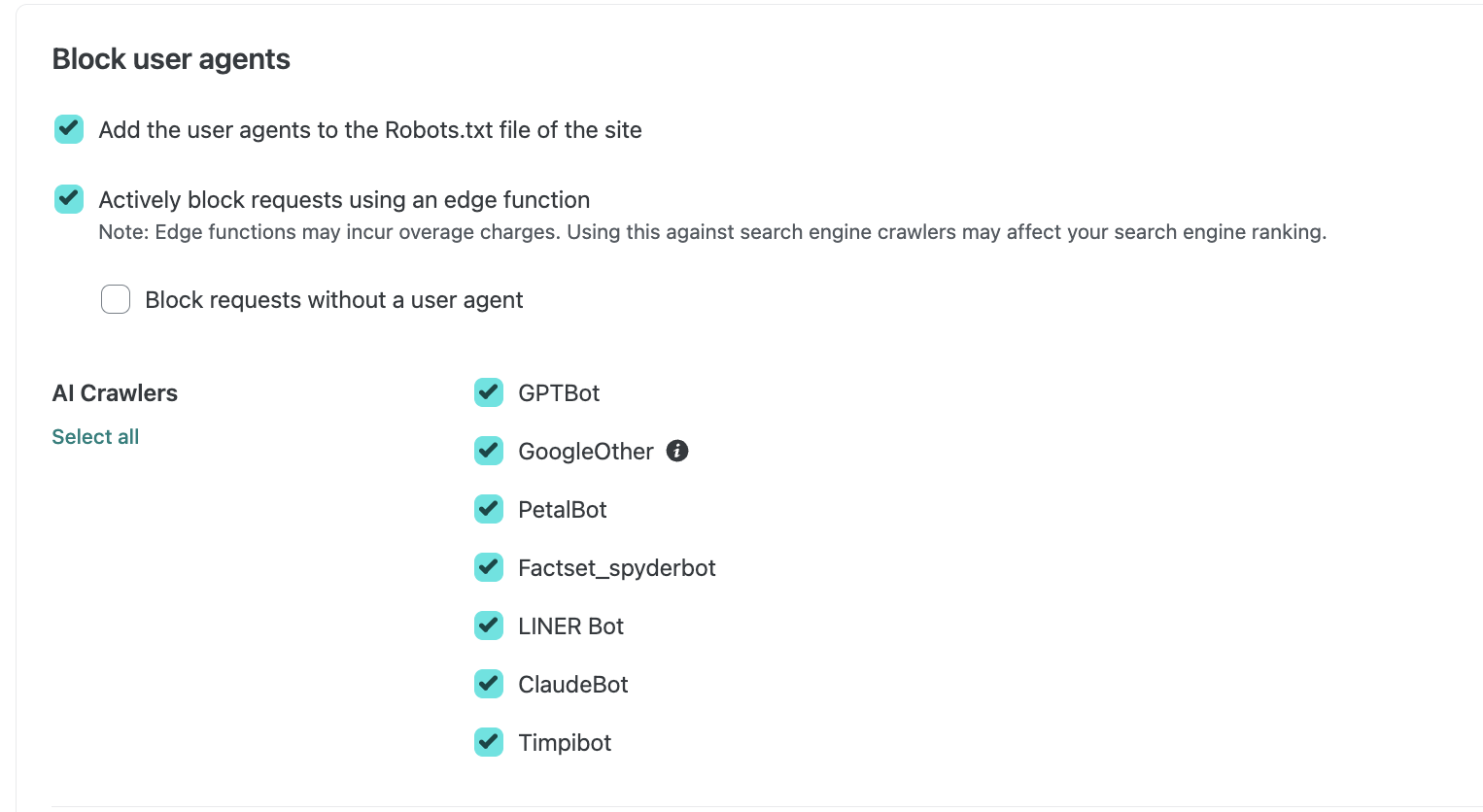
- Select Redeploy site and confirm with Save.
- To activate, select Enable analytics and deploy site.
Once your site/app is deployed successfully, the AI crawler blocking extension will start working immediately.
Did you find this doc useful?
Your feedback helps us improve our docs.