

For the complete Netlify documentation index, see llms.txt. Markdown versions of any documentation page are available by appending .md to its URL. Learn ways to find a project from your Netlify dashboard.
Use sort to search
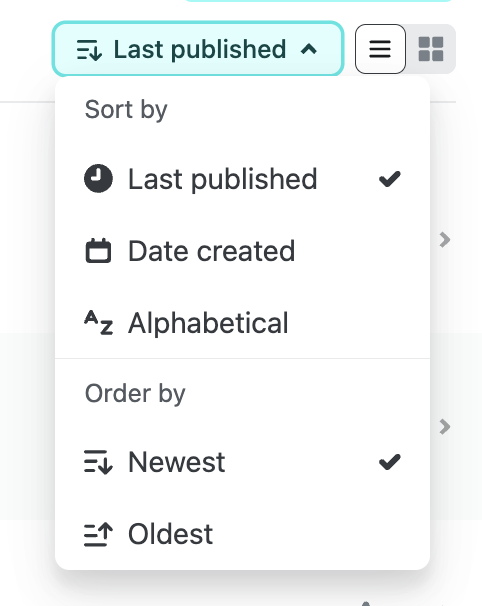
Section titled “Use sort to search”Anyone on your Netlify team with access to your project can use the projects sort options from the Netlify dashboard to find a project.
You can sort by most recently published, last updated, and more.
Use filters to search
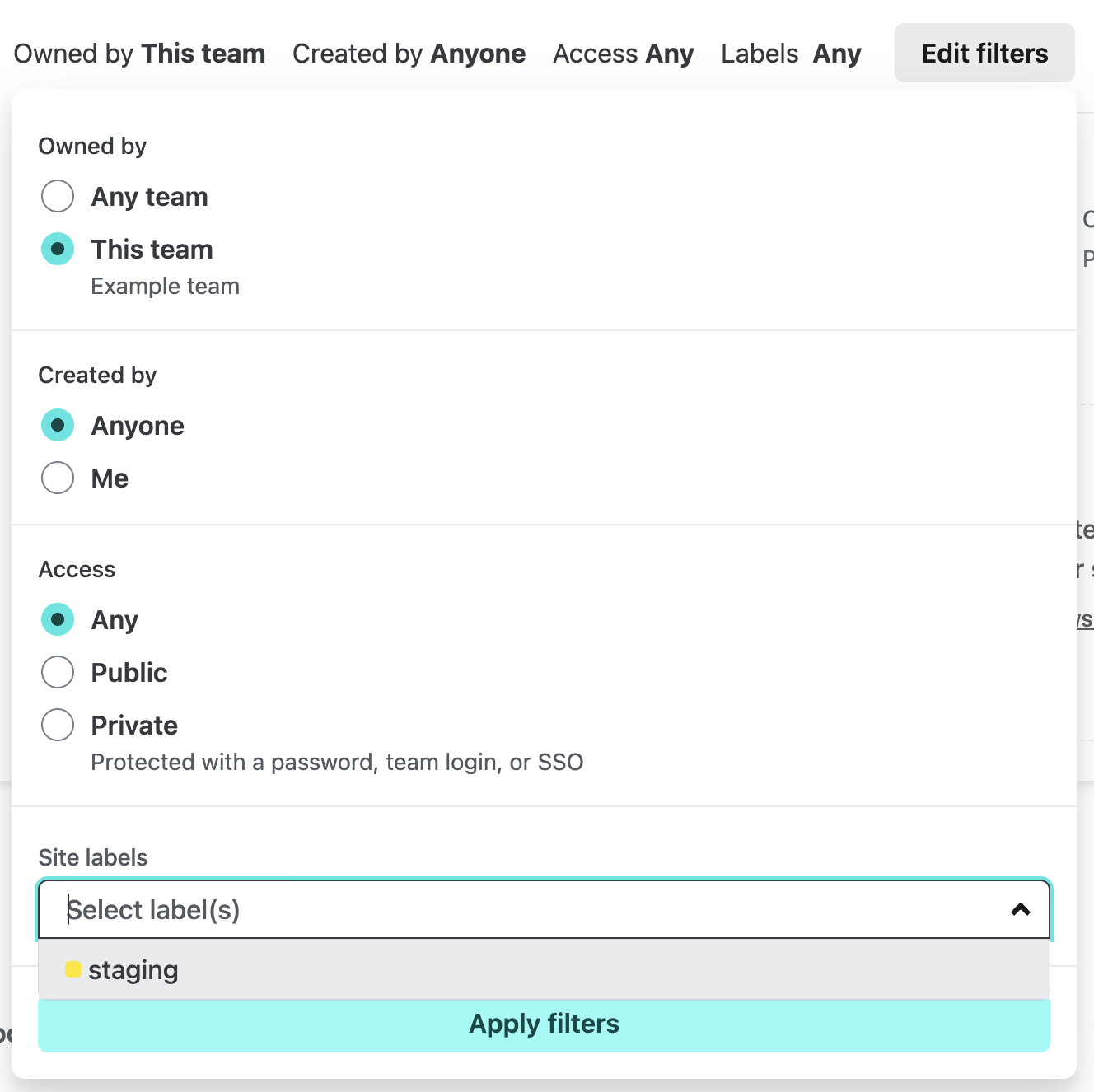
Section titled “Use filters to search”Anyone on your Netlify team with access to your project can use the projects filter from the Netlify dashboard to find your project.
- From your Project overview dashboard, select Projects, then under the projects search box, choose Edit filters and choose your filters.
You can filter your projects by whether you created the project, by whether the project is protected by a password, a project label, and more.
To filter your team‘s site list by label, select a label on one of the sites in the list. You can also filter sites by selecting Filter by label and choosing the appropriate label.
Use URL to search
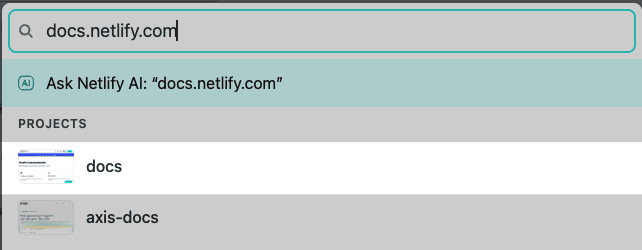
Section titled “Use URL to search”You can find a project by URL using the Command Palette, which is especially useful when you have a link from a teammate, a preview open in your browser, or only remember the custom domaindomainThe web address people use to visit your site, such as yoursite.com..
- From your Netlify dashboard, press command+K on macOS, or ctrl+K on Windows and Linux, to open the Command Palette.
- Enter any of the following types of project URLs:
- Project URL: the project’s Netlify subdomainsubdomainA prefix added to a domain name, such as blog in blog.yoursite.com., such as
https://example-project.netlify.app. - Deploy PreviewDeploy PreviewA type of deploy that lets you preview and share changes for feedback before they go live. URL: a Deploy Preview for a pull or merge request, such as
https://deploy-preview-42--example-project.netlify.app. - Branch deploy URL: a branch deploy, such as
https://staging--example-project.netlify.app. - Permalink URL: a deploy permalink that starts with a deploy ID, such as
https://1234abcd12acde000111cdef--example-project.netlify.app. - Netlify project dashboard URL: a link to the project’s dashboard in the Netlify UI, such as
https://app.netlify.com/projects/example-project. - Custom domain: a domain you’ve assigned to the project, such as
https://www.example.com.
- Project URL: the project’s Netlify subdomainsubdomainA prefix added to a domain name, such as blog in blog.yoursite.com., such as
- Select your project.
You can only find projects on teams you belong to.
To close the Command Palette without selecting a project, press esc.
Did you find this doc useful?
Your feedback helps us improve our docs.